Creating an "AI avatar" on your company PC
Watch this short video to see how AI handles tasks assigned from the field, allowing it to work while you're traveling or sleeping.
I can entrust my work to my company PC.Creating an "AI avatar"
It's not simply about asking questions to the AI. We'll create a system on your company PC that understands the documents, formats, and rules you normally use, and then continues your work once you receive instructions.
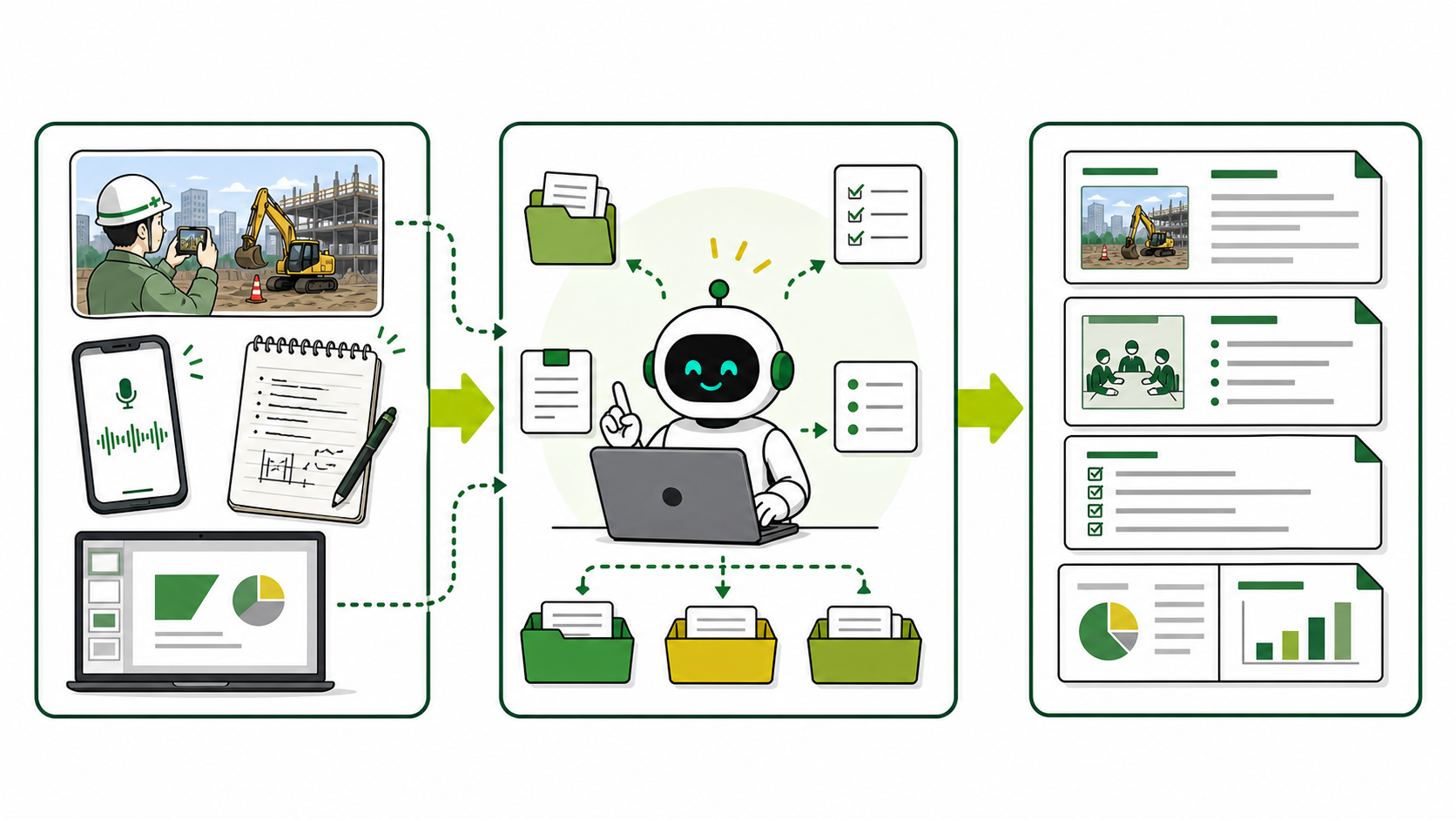
We will be releasing a limited-access video showing how to create an "AI avatar" on your company PC.
This section explains, with actual screenshots, how AI processes documents using company materials while the user is on the go or sleeping, after assigning tasks from the field.
Receive the main video, available for a limited time of 48 hours.The work that remains after the site is completed,
Are you carrying this burden all by yourself?
The task of gathering, organizing, and entering information into forms is taking away time that could be used for employee development and on-site management.
The information is scattered.
Just searching through photos, notes, emails, and past documents to gather the necessary information takes time.
Prepare documents after returning to the office.
Creating daily reports, reports, and meeting materials means I have to stay after work, which makes me go home late.
I also have a backlog of emails to respond to.
Classification, response drafts, task creation, and deadline confirmation are all handled manually, one item at a time.
Even while people are moving,
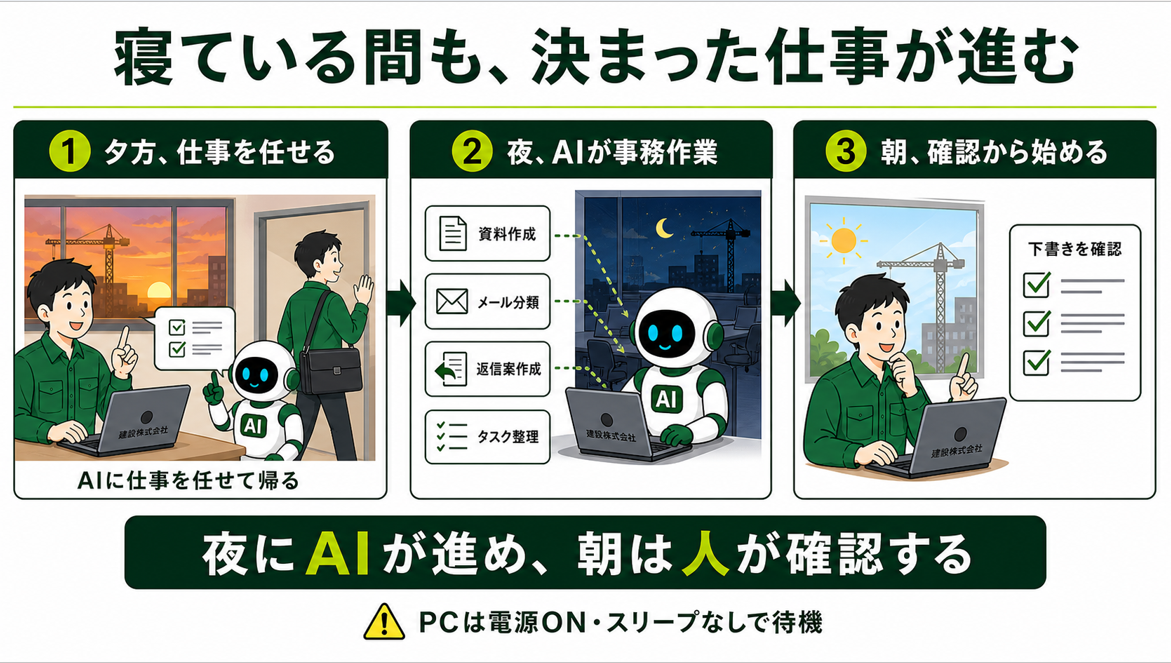
Work progresses even while you sleep.
Instead of the AI sending the finished product without review, it prepares a draft that can be immediately reviewed and corrected by a human.
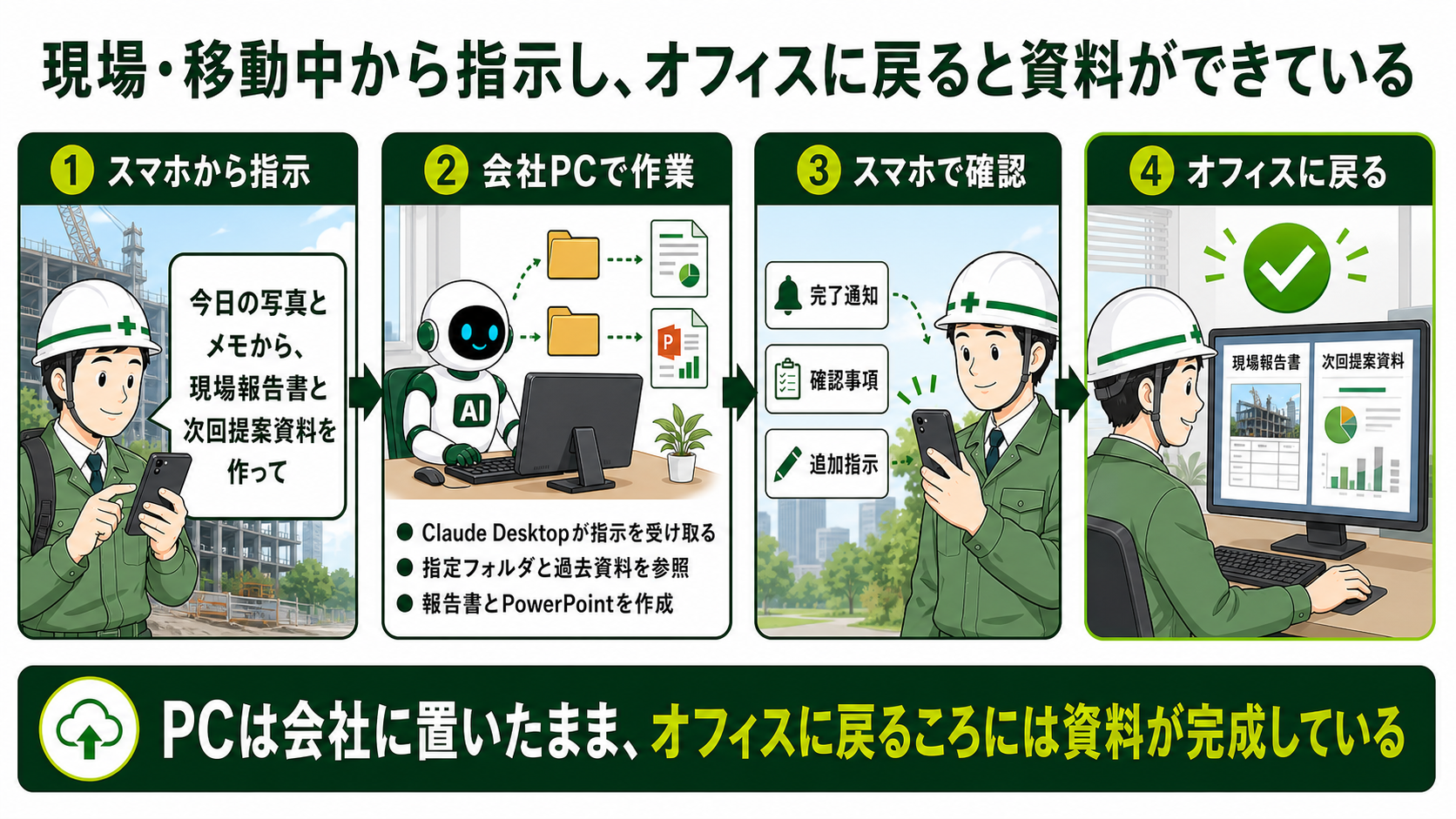
I gave instructions before leaving the site. When I returned to the office, the documents were ready.
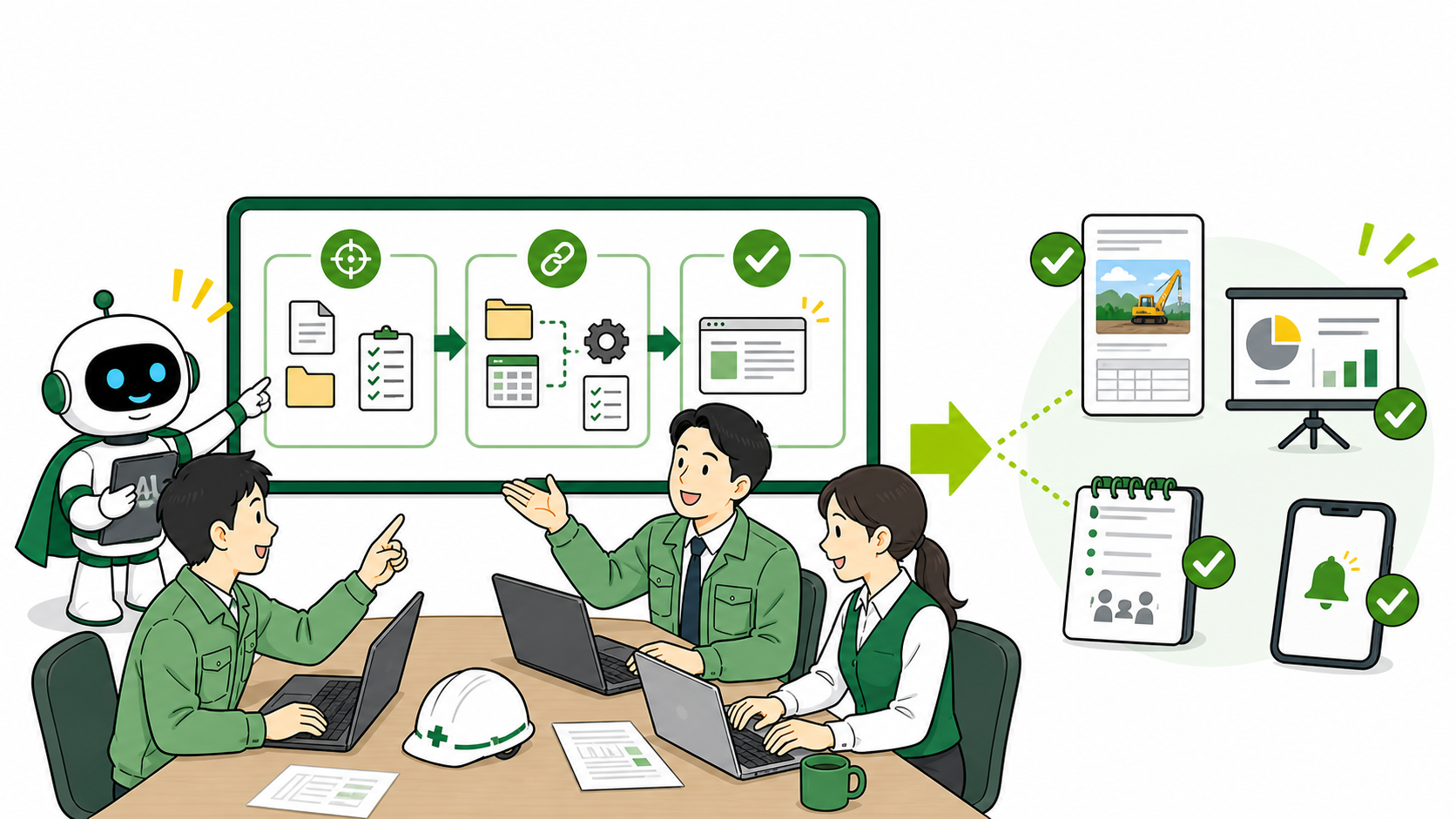
I hand over photos and notes and instruct them to "create a site report and a proposal document for the next meeting." While I'm on the go, the AI on my company PC reviews the documents and creates a draft.
Work progresses even while you sleep.
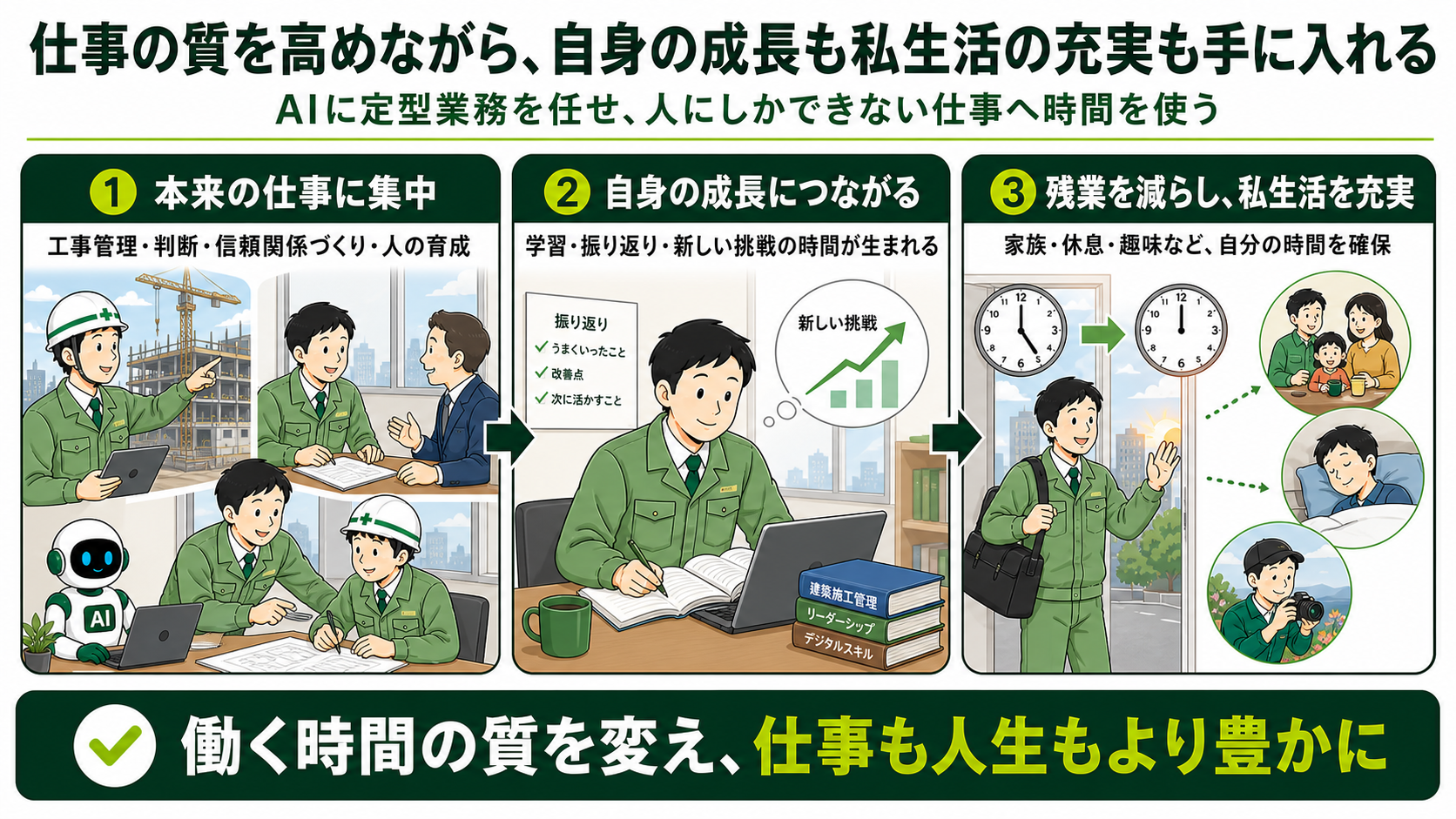
While improving the quality of work,Personal growth and a fulfilling personal lifeGet
Focus on the work that people should be doing.
You can dedicate your time to managing construction projects, making decisions, building trust, and developing personnel.
It will lead to your own personal growth.
This creates time that can be used for reflection, learning, improvement, and new challenges.
Reduce overtime and enrich your personal life.
This makes it easier to secure time for family, rest, and hobbies.
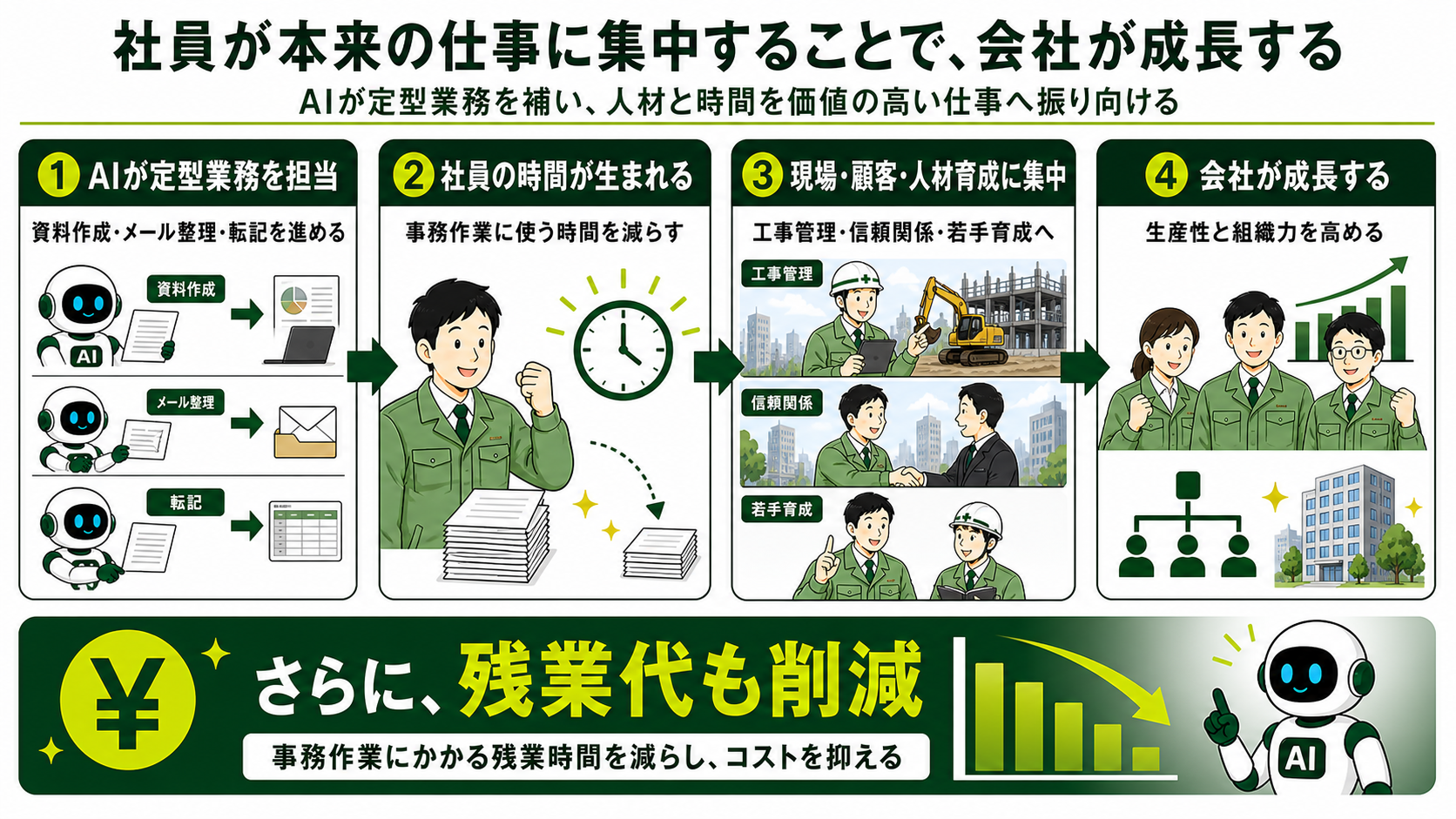
By allowing employees to focus on their core work,The company grows
Reducing administrative tasks allows us to allocate more time to on-site work, customer service, and training. This addresses labor shortages and improves productivity.
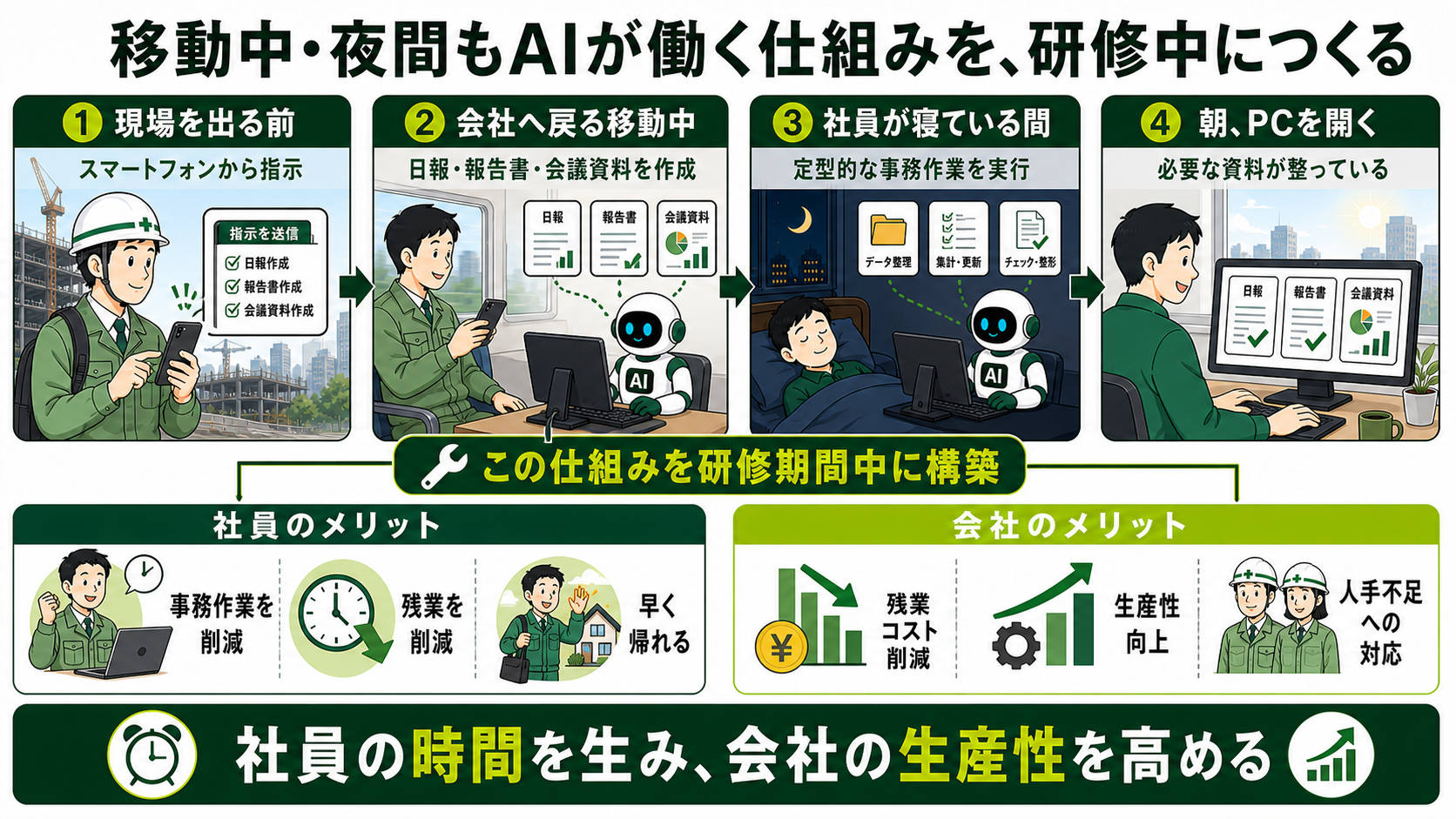
Not only will you learn how to use AI,How it actually worksTo make
1. Choose the tasks to delegate.
We will start by selecting tasks that occur repeatedly and have a high impact on the results.
2. Organize documents, forms, and rules.
This clarifies the information that AI uses and the scope of human judgment.
3. Build, Execute, and Improve
We'll use Claude Desktop to actually run the program and get it ready for use in the field.
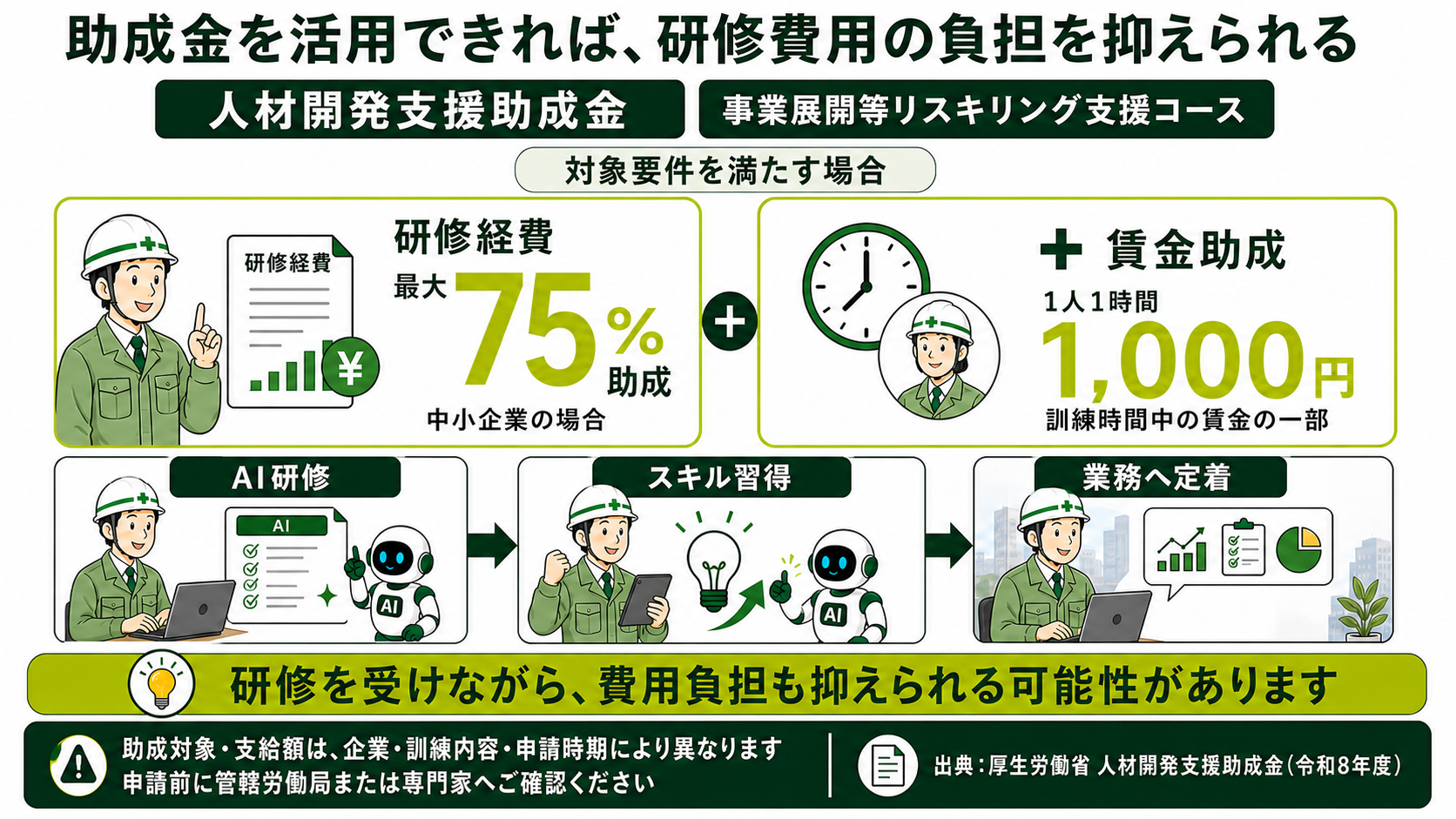
For AI training,Potential for utilizing grantsThere is
If you meet the eligibility requirements, you may be able to use the Human Resources Development Support Subsidy to promote AI talent development among your employees.
*This does not guarantee payment. The subsidy rate and amount will vary depending on the size of the company, the course of study, and the system and review process at the time of application. As a general rule, a plan must be submitted before the start of training.
When employees have more free time,Contributes to the company's growth
All employees can be entrusted with work.It is possible to create an "AI avatar".To the company
Our goal isn't simply to implement one completed system and be done with it. We aim for each employee to be able to build their own "AI avatar" tailored to their own documents, rules, and work processes, and then improve it themselves.
For AI talent development,Human Resources Development Support SubsidyThere is a possibility that this can be utilized.
If the eligibility requirements are met, not only the training costs but also the wages paid to employees during the training period may be eligible for subsidies.
- The training, workers, and employers must meet the requirements.
- As a general rule, the training plan must be submitted before the start of the training.
- Prepare necessary documents such as attendance records and payment records.
*This does not guarantee the provision of subsidies. Applicable courses, subsidy rates, and payment amounts vary depending on company size, training content, wage requirements, the system in place at the time of application, and the review by the Labor Bureau. For the latest information, please see below.Ministry of Health, Labour and Welfare "Human Resources Development Support Subsidy"Please check.
During the training period,How it actually worksTo make
- 1Choosing tasks to entrust to AI
- 2Organize documents, formats, and decision-making rules.
- 3Build and run with Claude Desktop
- 4Improvement and establishment through on-site use.
Inside the company PC"An AI doppelganger"We will release a video showing how to make it.
While you're on-site, traveling, or even sleeping, AI continues the work, and when you return, it's ready to be reviewed. We'll explain this process using actual screenshots.
Receive a video available for 48 hours only.
The viewing period begins the moment you submit the form, and you will also receive a dedicated URL via email that is valid for 48 hours.
Before implementation, please check the following:
Can this be achieved even by non-engineers?
Yes. Basically, no programming is required. We'll break down your regular work into steps, organize the necessary documents, decision-making rules, and final product, and build it together during the training.
Which task should I start with?
We start with recurring tasks with established procedures, such as daily reports, reports, meeting materials, email classification, draft replies, and task organization.
How do you power your PC?
Turn on your company PC, set it to not go to sleep, and maintain the connection to the internet with Claude Desktop.
Will the AI send emails automatically?
The basic process involves creating drafts that can be reviewed and edited by humans. Humans perform the final check before sending documents externally or making important decisions.
How do you handle confidential and customer information?
We will organize accessible information, prohibited information, storage locations, and users, and operate them in accordance with your company's information management regulations and AI service contract and settings.
Can I use subsidies to cover training costs?
If you meet the eligibility requirements, you may be able to use the program. As a general rule, confirmation and notification of the training plan are required before the start of the training.
Things to consider before implementation
How do you power your PC?
Turn on your company PC, set it to not go to sleep, and maintain the connection to Claude Desktop and the internet. For laptops, you need to set them to not go to sleep when closed.
Will AI automatically send emails or documents?
The basic principle is to create drafts that can be reviewed and edited by humans. The system is designed so that sending and final decisions are made by humans.
Will the videos really become unavailable after 48 hours?
Yes. The special URL issued upon registration will expire after 48 hours. Please watch within that timeframe.
Can I consult with you immediately after watching the video?
Below the video page, you'll find a screen to book a free consultation. Simply select an available date, answer a few quick questions, and you're ready to book.
Can non-engineer employees implement this system?
Yes. Basically, no programming is required. You'll break down your usual tasks into steps and organize the data, decision rules, and final output to be passed to the AI. We'll work through any difficult parts, such as PC setup, together during the training.
Can employees with little to no experience using AI participate?
You can participate. We will start with how to give instructions to the AI and gradually progress to creating simple documents, referencing company documents, giving remote instructions, and regular execution. The goal is to avoid relying solely on a few employees who are knowledgeable about AI.
Which tasks should I start by automating them?
It's recommended to start with recurring tasks that have established procedures and a defined final form, such as daily reports, reports, meeting materials, meeting minutes, email classification and response drafts, and task organization. Organize your tasks before training and select the most effective and safest subjects.
Can you utilize the Word, Excel, PDF, and photo files you currently use?
Yes. We will design it so that you can create drafts that are similar to your usual work, utilizing existing forms, past documents, photos, notes, etc. Since the handling method differs depending on the file format and work content, we will check the target documents and decide on the construction method.
Is it safe to share confidential company information and customer data with AI?
First, we will clarify which information the AI is allowed to access, which is prohibited, where it will be stored, and the scope of its users. Confidential and personal information will be handled in accordance with your company's information management regulations and the contract and settings of the AI service being used.
What happens if the AI makes a mistake or behaves unexpectedly?
The system will be designed to allow for stopping the process, revising instructions, reference materials, and decision criteria, and then resuming execution. External transmissions and important decisions will generally require human review and approval.
Will it be available to all employees, not just a select few?
We aim to create a system where each employee can streamline their own work by establishing common procedures, templates, and verification methods. Initially, we will focus on a limited number of tasks and gradually expand the system throughout the company as employees use it in practice.
Are there any additional costs during implementation or after the system goes into operation?
In addition to training fees, there may be contract fees for AI services used, such as Claude, and fees for peripheral tools depending on the project. The necessary environment and costs will be provided in advance after confirming the target project.
Can I use subsidies to cover training costs?
If you meet the eligibility requirements, you may be eligible for subsidies such as the Human Resources Development Support Subsidy. However, eligibility depends on the size of the company, the content of the training, and the system and review process at the time of application, and payment is not guaranteed. In principle, confirmation and notification of the training plan are required before the start of the training.